Spots are limited during testing

Navilah is still being tested, so for now only a limited number of people can use it at a time.

When Navilah is full, anyone who hasn't opened it for 3 days in a row gives up their spot to someone who's waiting. Don't worry: we'll send you a notification 12 hours before that happens, so you can keep your spot just by opening the app.

Signed in? This rule doesn't apply to you. Sign in with your email in the app and you'll always get in, even when Navilah is full.
Get the app

Navigation, lah!

Toward Data Sovereignty

A fast, friendly map app that knows the mamak down the road. Search 700,000+ local places, compare routes, warn each other about roadblocks and accidents, and drive with turn-by-turn voice guidance in English or Bahasa Melayu.

700k+Malaysian places
EN · BMVoice guidance
OptionalSign-up — just open and go
NaviLah map of Kuala Lumpur around KLCC Park with the search bar at the top
↰Turn left in 200 mJalan Raja Chulan
⏱12 min · 8.7 kmto Mid Valley Megamall
🍛Nasi Kandar Pelita739 m away
Features

Everything you need to get there

Built from the ground up for Malaysian places, Malaysian roads and Malaysian drivers.

Search

Finds the places other maps miss

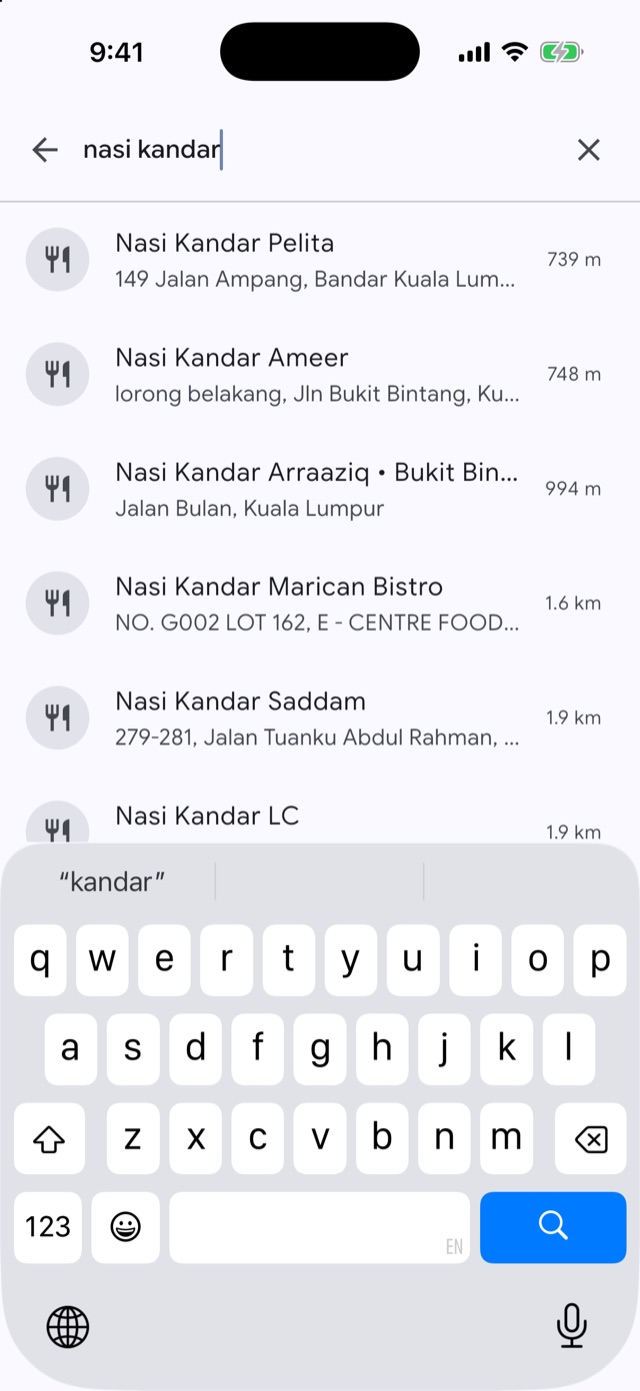
Type a shop, a restaurant or a small office in Setapak. NaviLah searches its own database of 700,000+ Malaysian places together with OpenStreetMap, and shows the nearest matches first.

  • Results appear as you type
  • Forgives typos and punctuation: “mcd”, “a&w”, “7-eleven”
  • Remembers your recent searches
Search results for nasi kandar, nearest first, with distances
Places

Tap a place, see where it is

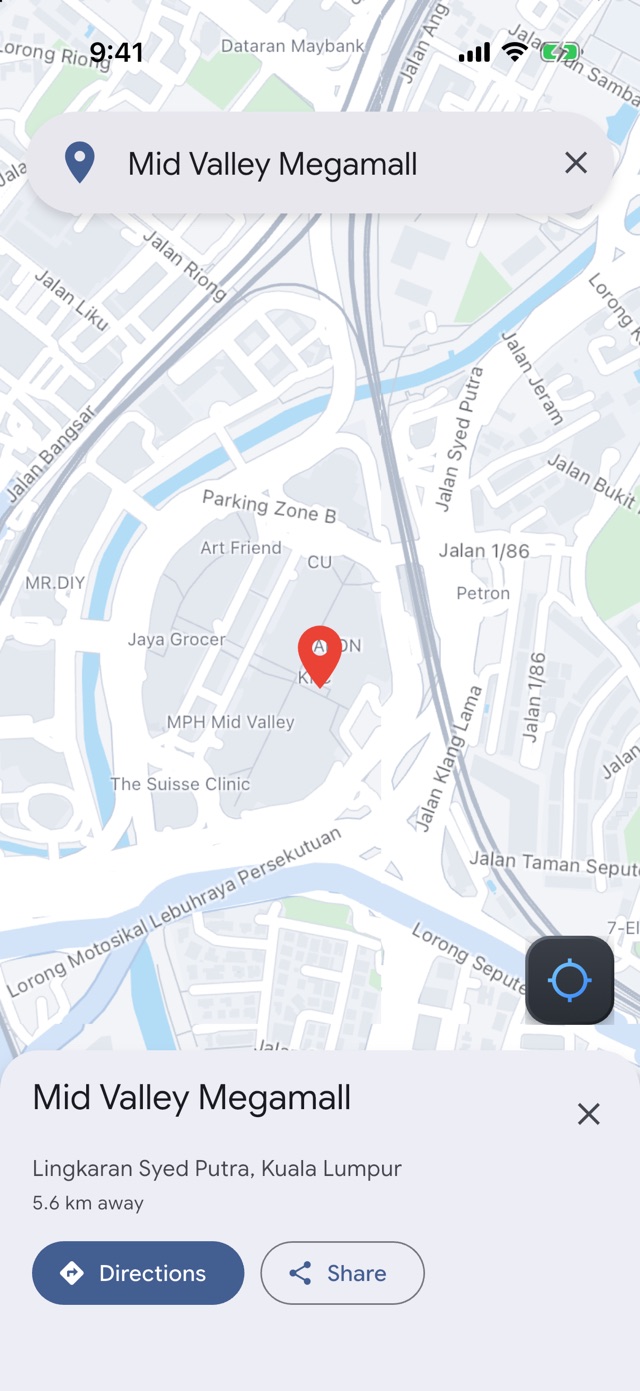
Every result drops a pin on the map with its address and how far away it is. One more tap and you're getting directions, or tap Share to send it to friends as a navilah.com link they can open in Navilah, Google Maps or Waze.

Mid Valley Megamall pinned on the map with its address, distance, and Directions and Share buttons
Directions

Compare routes before you go

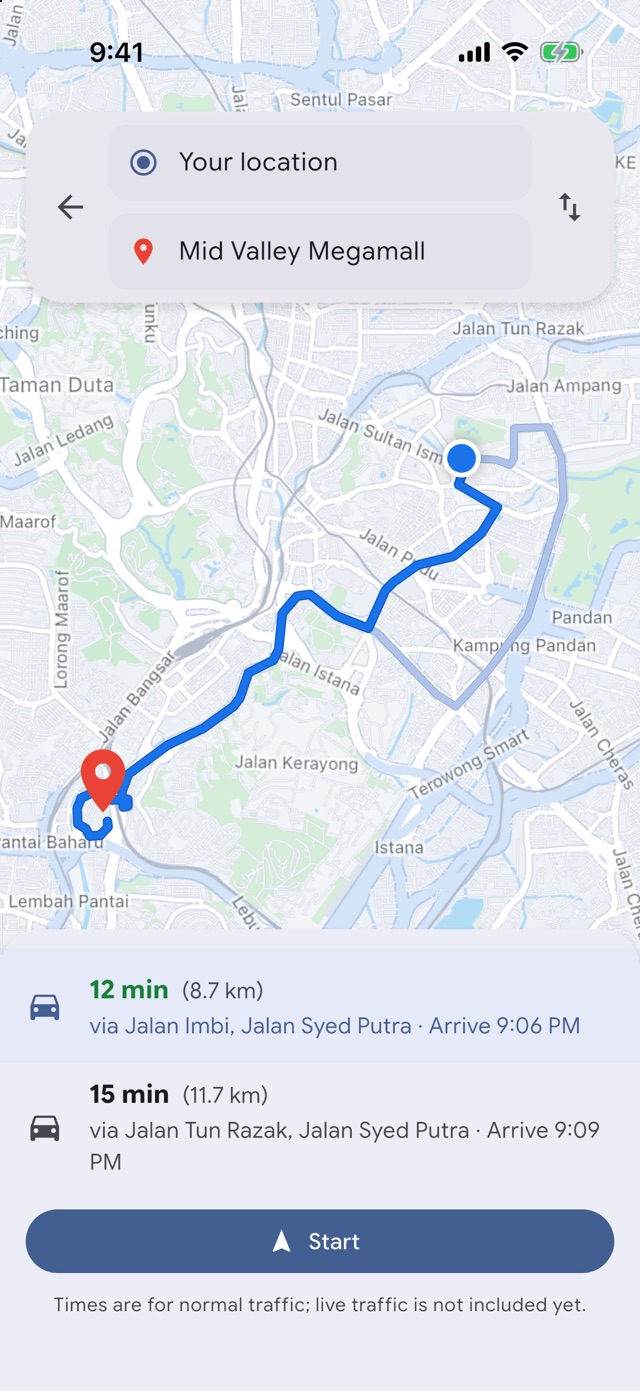
See the fastest route and alternatives side by side, with travel time, distance and arrival time for each, and the road it takes you through.

  • Alternative routes on the map
  • Arrival time at a glance
  • Swap start and destination in one tap
Two routes to Mid Valley Megamall, 12 minutes (8.7 km) and 15 minutes (11.7 km), with a Start button
Tolls

Know the toll before you go

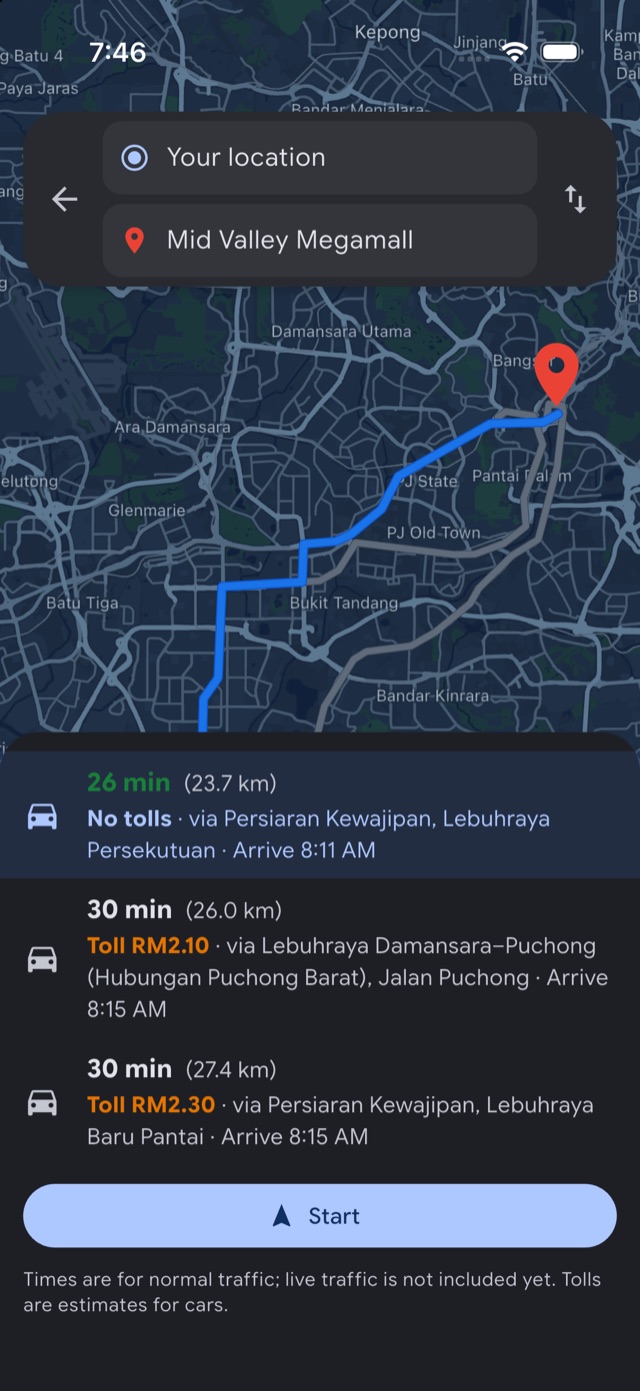
Every route option shows what you'll pay at the toll plazas along the way, or “No tolls”, so you can choose between saving time and saving money. It works for open tolls like LDP and NPE, and for highways like PLUS where the charge depends on where you enter and exit.

  • Official rates from Lembaga Lebuhraya Malaysia
  • Toll-free route? It says so
  • New rates reach the app without an update
Three routes to Mid Valley Megamall: no tolls in 26 minutes, toll RM2.10 via LDP and toll RM2.30 via NPE in 30 minutes
Navigation

Turn-by-turn, hands on the wheel

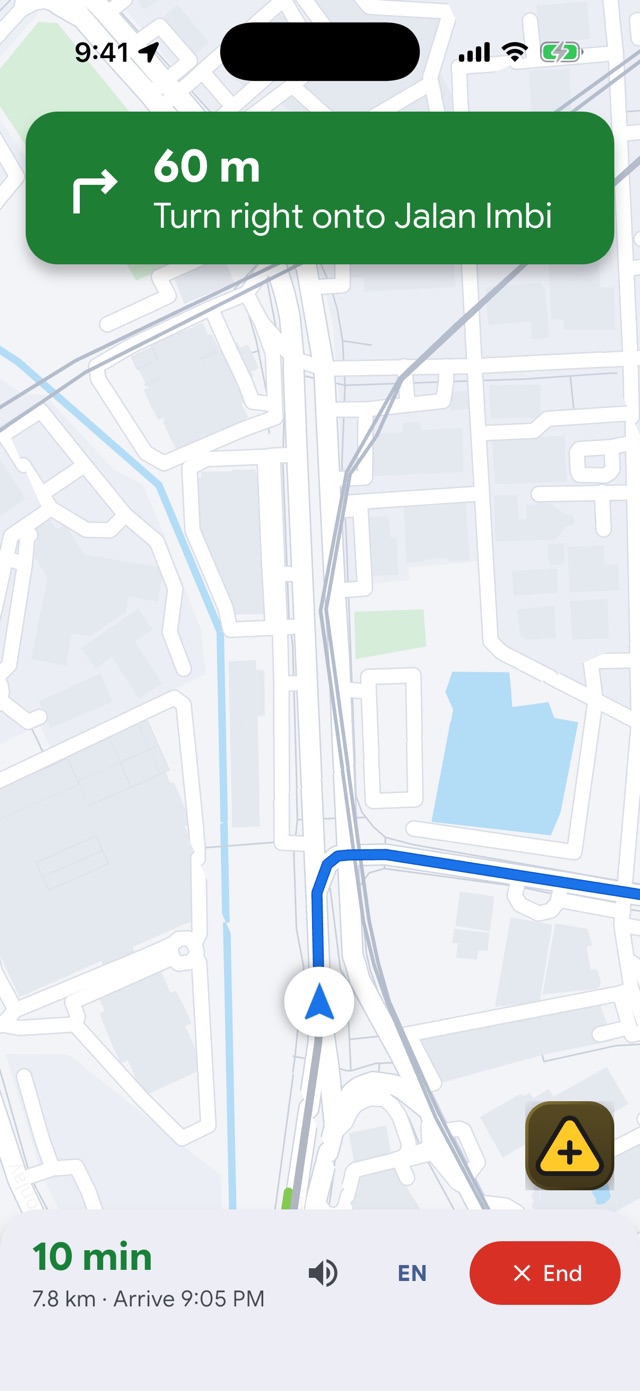
Big, clear instructions, a map that follows your car, and spoken guidance at the right moment. Miss a turn? NaviLah finds you a new route automatically.

  • Automatic re-routing
  • Remaining time and arrival updated live
  • Keeps the screen on while you drive
Navigation screen: in 150 m turn right onto Jalan Imbi, 11 minutes remaining, with the report button
Road reports

See something? Tell everyone in two taps

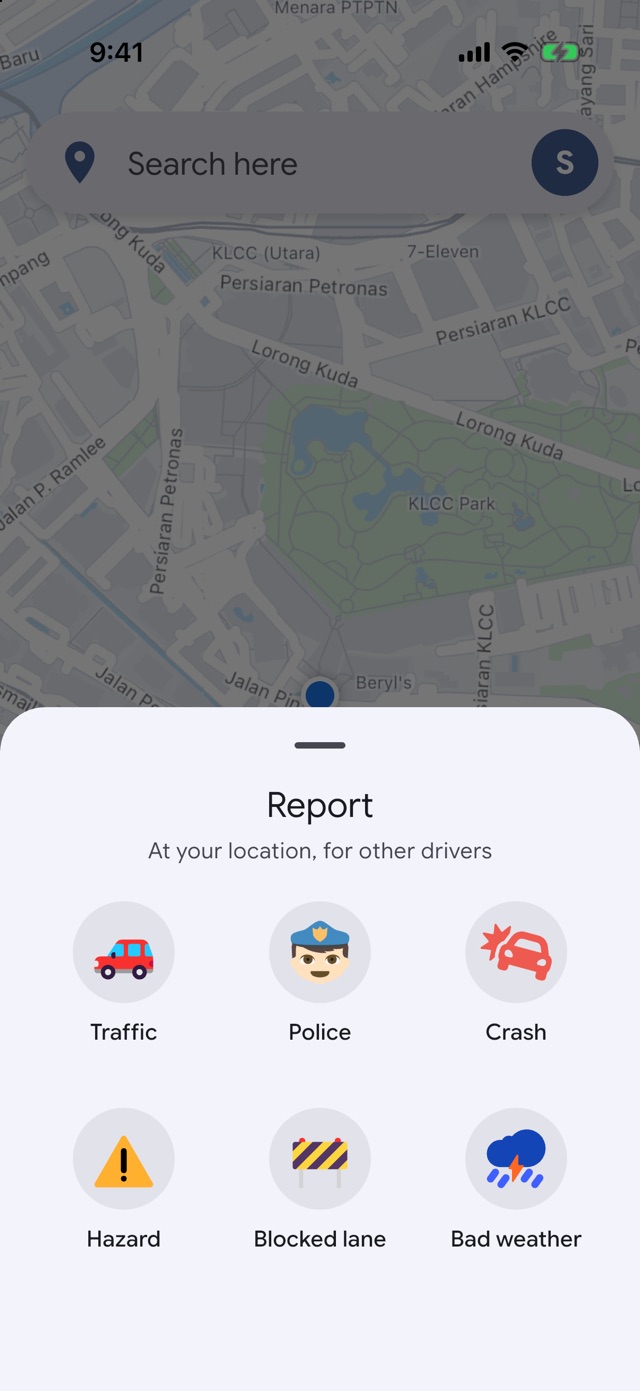
Tap the report button, pick what you see, and every NaviLah driver nearby sees it on their map. Hold the button for the three you need most on Malaysian roads: roadblock, construction and accident.

  • Traffic, police, crashes, hazards, blocked lanes and bad weather
  • Other drivers confirm it's still there, or clear it once it's gone
  • Reports expire on their own, from an hour for a crash to a week for a pothole
Report menu with Traffic, Police, Crash, Hazard, Blocked lane and Bad weather
Alerts

Know what's ahead before you reach it

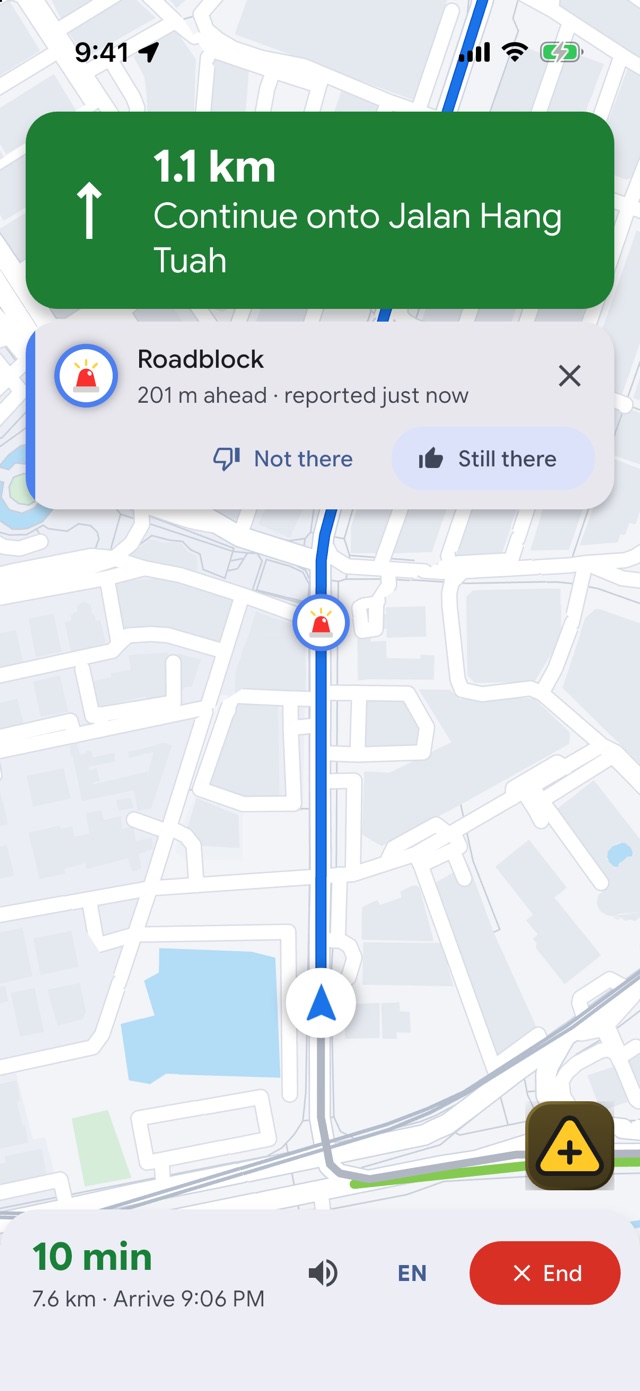
NaviLah warns you about reports on the road ahead about 25 seconds before you get there, and says it out loud while you navigate. You're only warned about reports from drivers going your way, so an accident on the other side of the highway won't distract you.

  • Only reports on your side of the road
  • Tap Still there or Not there as you pass
  • Spoken alerts in English or Bahasa Melayu
Navigation with a roadblock alert 201 m ahead and Not there and Still there buttons
Bahasa Melayu

Speaks your language

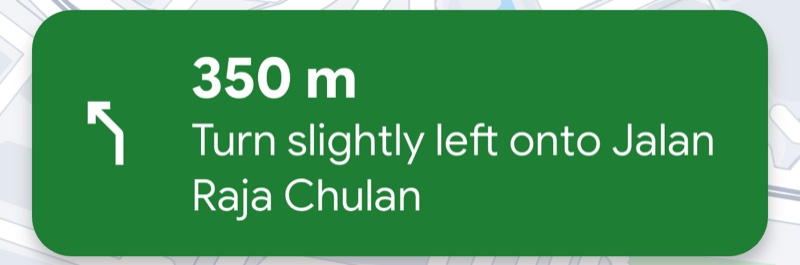
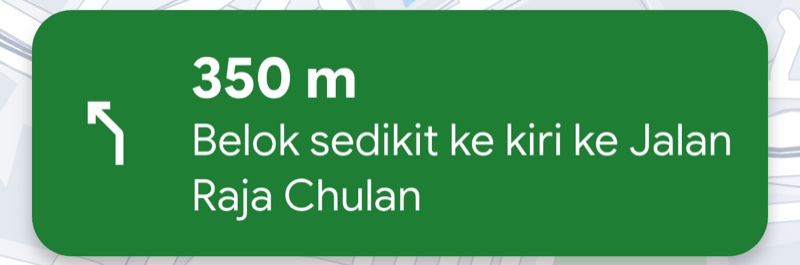
Switch voice guidance between English and Bahasa Melayu any time, even mid-trip. Instructions and spoken prompts change together.

In 350 m, turn slightly left onto Jalan Raja Chulan
English
350 m, belok sedikit ke kiri ke Jalan Raja Chulan
Bahasa Melayu
Live traffic

Traffic from drivers like you

NaviLah turns the speeds of people driving with the app into a live traffic map: green when it's moving, yellow when it's slowing, red when it's jammed. The more people drive with NaviLah, the better it gets.

Moving Slow Jammed
Day & night

Easy on the eyes, day or night

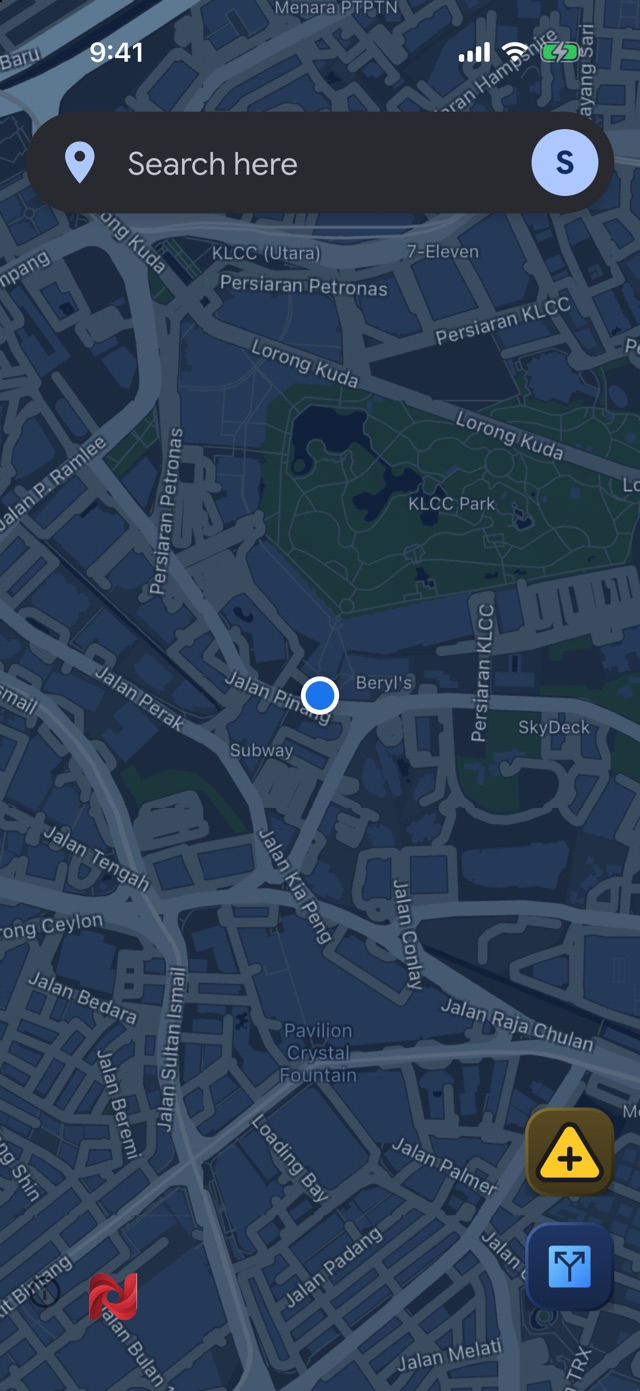
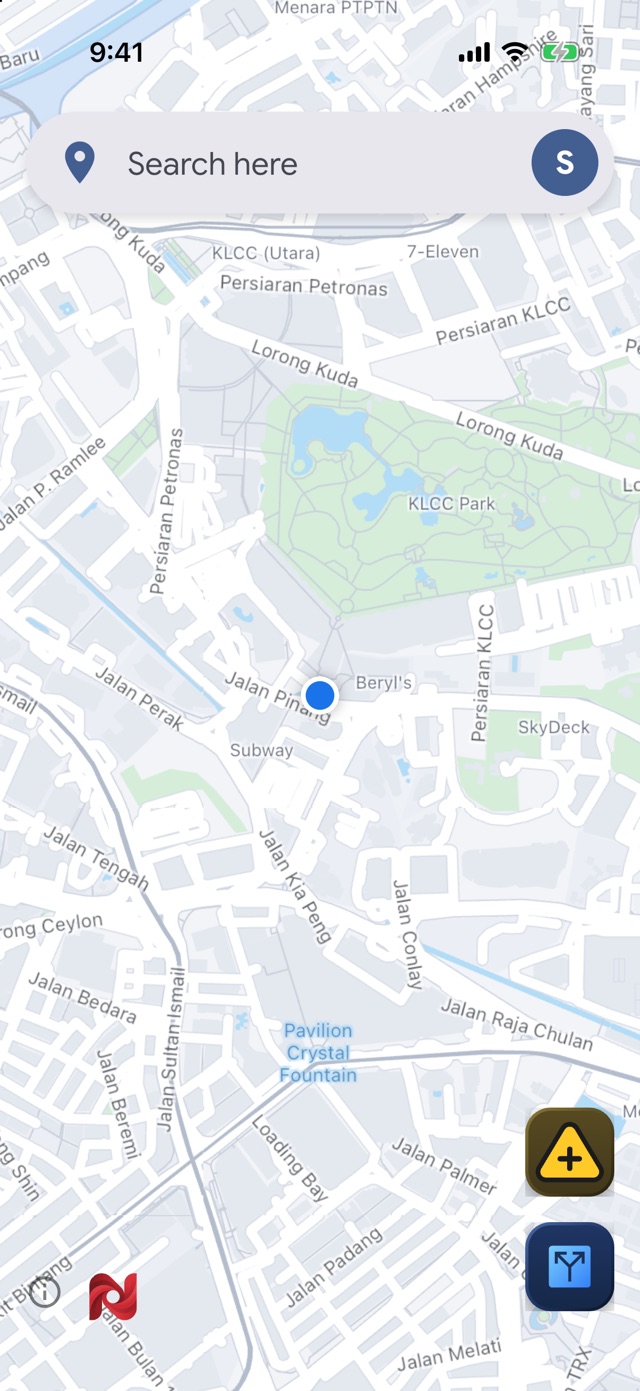
A clean, Google-Maps-inspired look in the day, and a calm dark theme at night that follows your phone's setting automatically.

Light map of central Kuala Lumpur
Dark map of central Kuala Lumpur
Why NaviLah

Local through and through

🇲🇾

Malaysian places

Mamaks, kedai, clinics and offices, searched nearest first.

🗣️

English & BM

Voice guidance in the language you think in.

🔒

Privacy first

No account needed. Traffic is built from road speeds, and raw GPS trails are deleted within the hour.

🗺️

Open map data

Built on OpenStreetMap and Overture Maps, improved by the community.

Our data. Our decisions.

No one else decides what happens to our data, and no one else profits from it.

Data kami. Keputusan kami. Tiada pihak lain yang menentukan apa berlaku kepada data kami, dan tiada pihak lain yang mengaut untung daripadanya.

Be one of the first on the road

NaviLah is in its testing phase. Android users install the test build below; iPhone users join through TestFlight further down. Take it for a drive and tell us what you think. Your feedback shapes what we launch.

Download the Android test APK

Version 0.1.64 · 24 MB · Android phones. Your phone may ask you to allow installs from your browser.

Using an Android head unit in your car?

Get this version instead. It runs on the Android screens fitted in car dashboards, including the many budget units that can't install the phone version above.

Download for car head units

Version 0.1.64 · 66 MB · Android car head units. Copy it to a USB drive, or download it on the unit's browser, then open it to install.

On an iPhone?

NaviLah is on TestFlight, Apple's app for trying apps before they reach the App Store. It takes about a minute:

  1. Install the free TestFlight app from the App Store.
  2. Open the link below on your iPhone and tap Accept, then Install.
  3. NaviLah appears on your home screen. New test versions arrive through TestFlight automatically.
Join the iPhone test on TestFlight

iPhone with iOS 15 or later. Test builds expire after 90 days; TestFlight keeps you on the latest one. Found a problem? Take a screenshot inside NaviLah and TestFlight offers to send it to us.

The App Store and Google Play releases are on their way. Their links will appear right here soon.

Coming soon to theApp Store Coming soon onGoogle Play